
A focused driver cockpit connected to the transport office.
DriverX gives drivers clear availability controls, office-managed trip requests, navigation, safety, payment, earnings and operational records. Every visual below is matched to the interface state it actually displays.
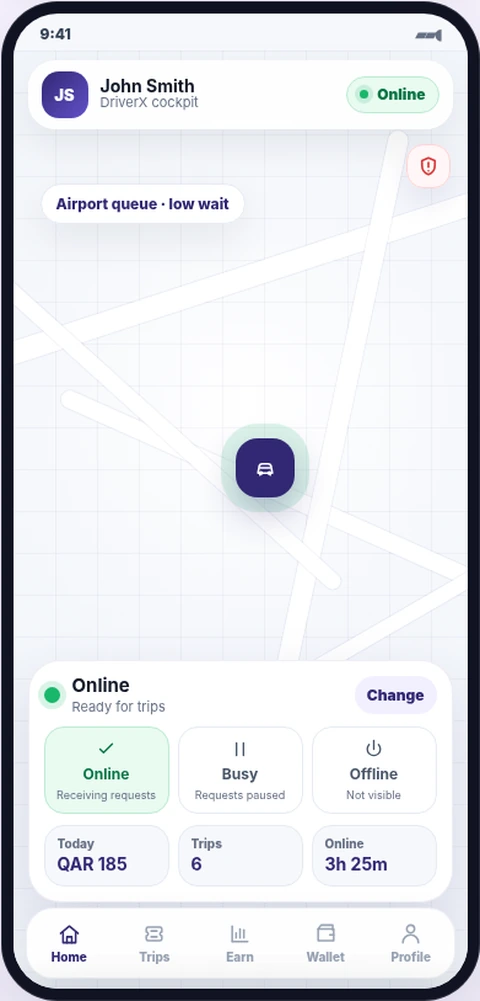
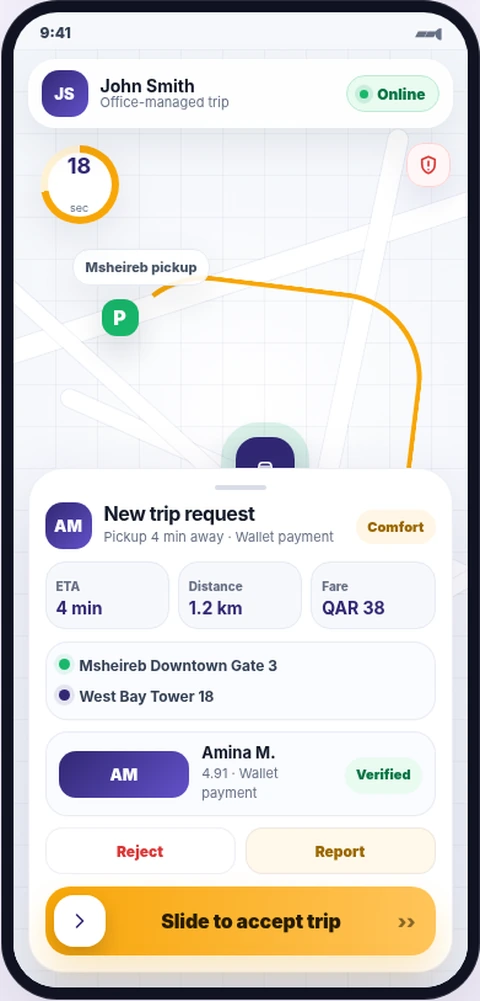
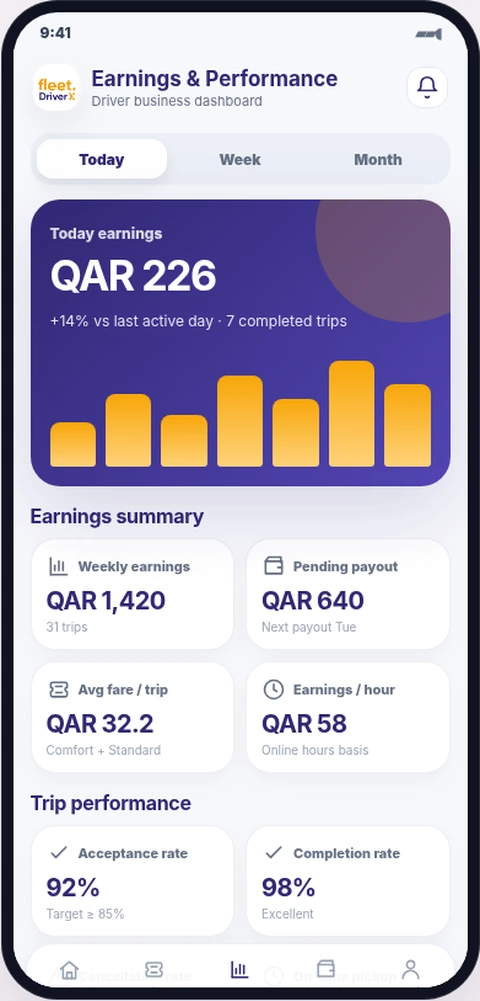
One sequence from availability to completed trip.
The screen order follows the real DriverX operating state machine. The driver always knows the current status, the next required action and where office support fits.
- 1Set availability
- 2Review request
- 3Reach pickup
- 4Complete trip
- 5Review earnings
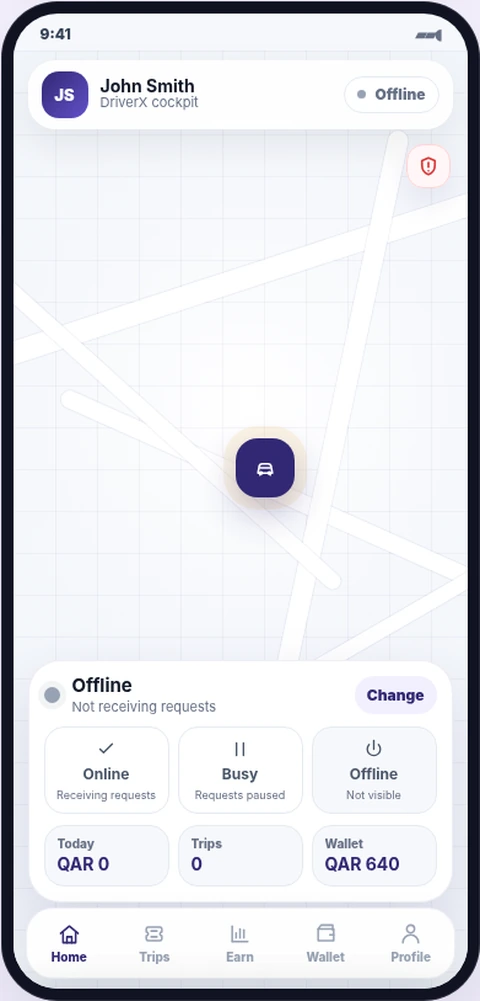
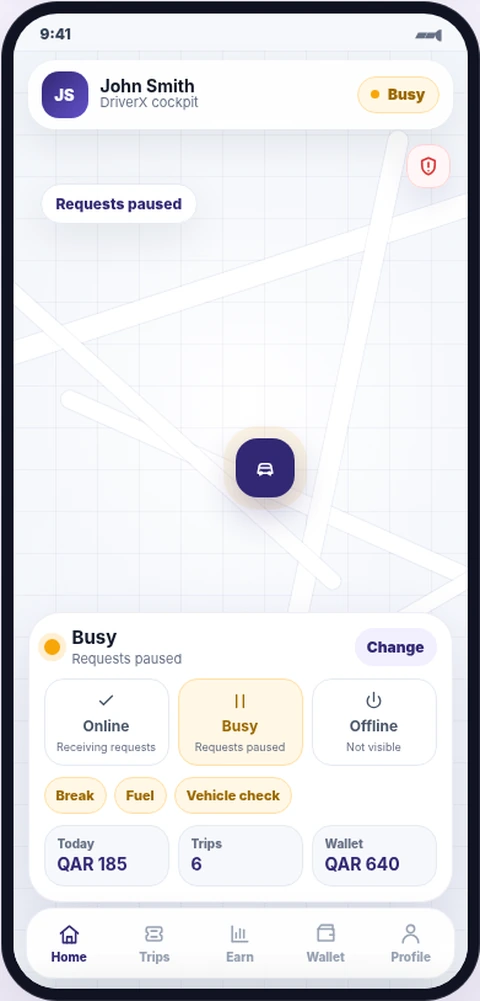
Offline and busy are different operational states.
Drivers can stop receiving work without losing access to their office, wallet or daily information.
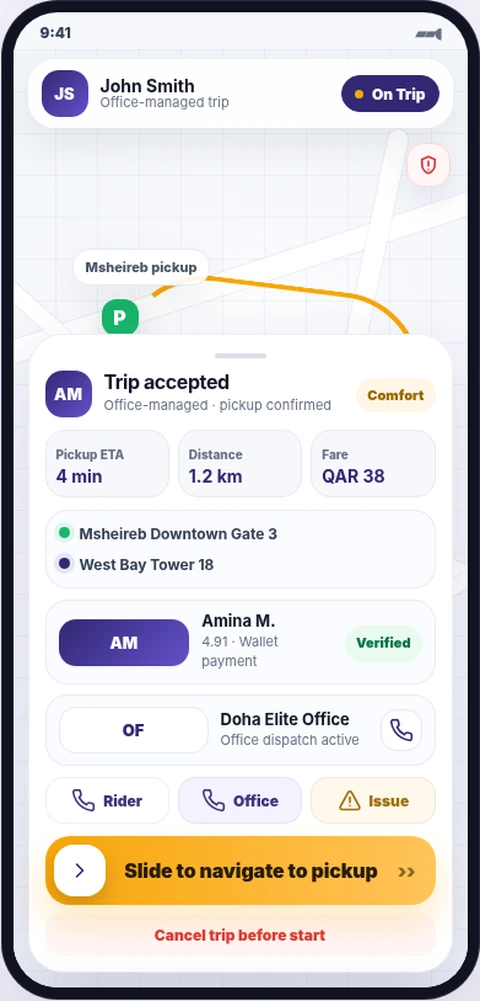
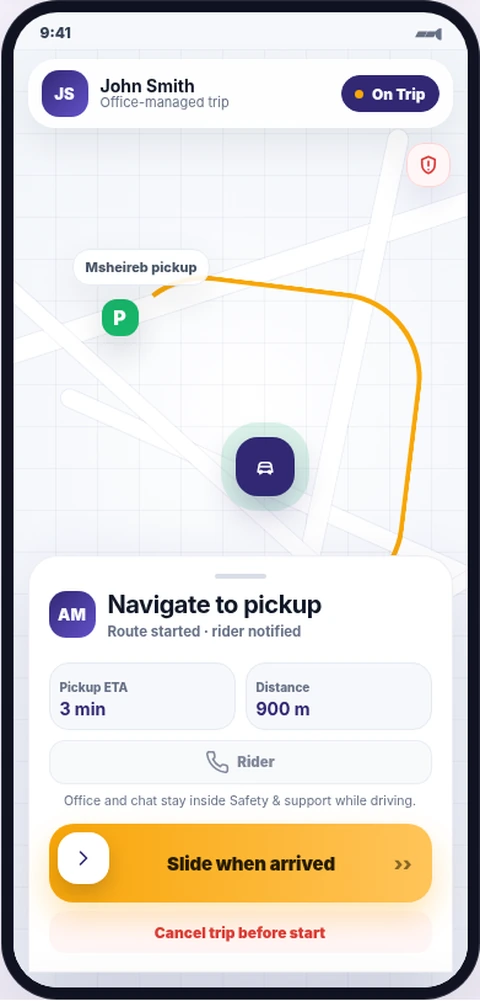
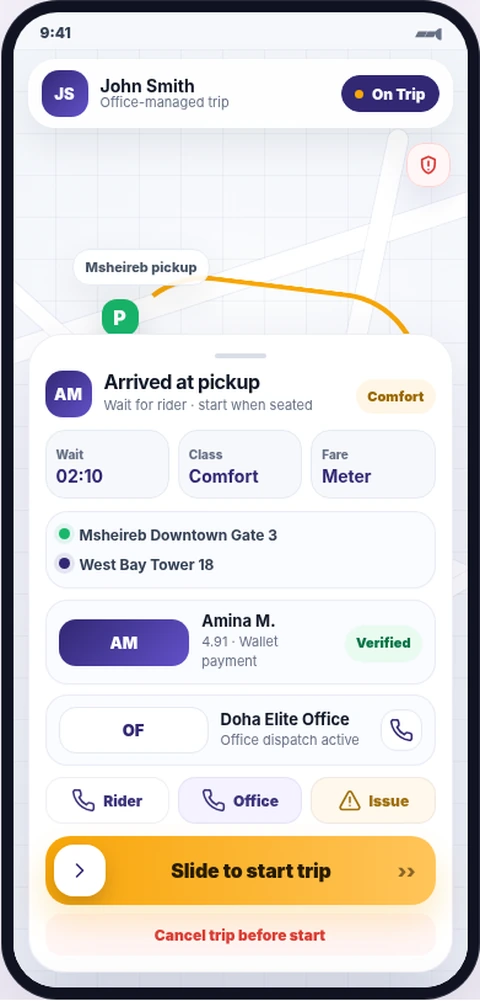
Accept, navigate and arrive with the office still visible.
The driver sees the passenger, office, route and expected trip details before beginning each operational step.
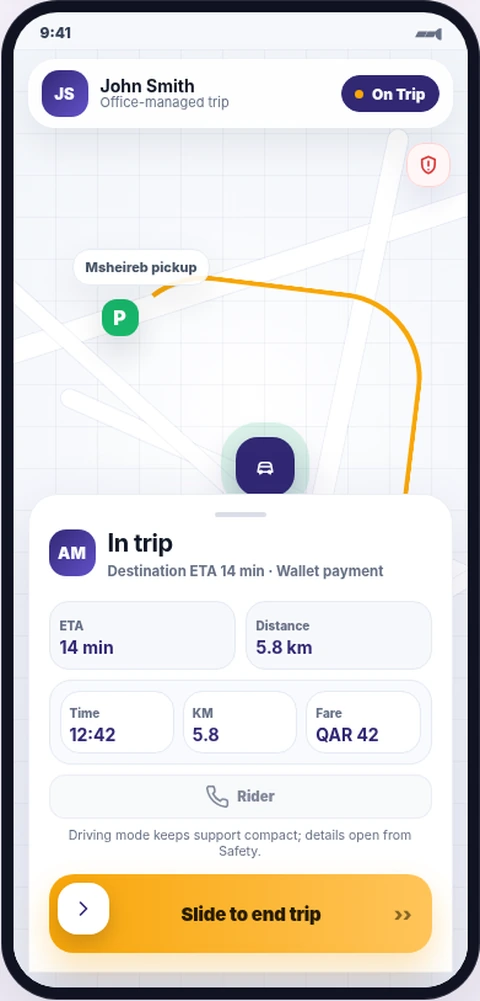
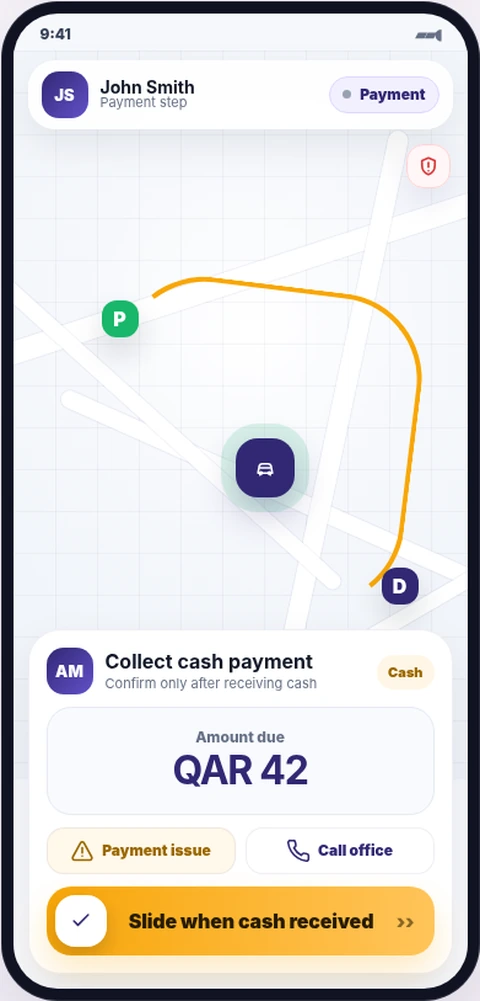
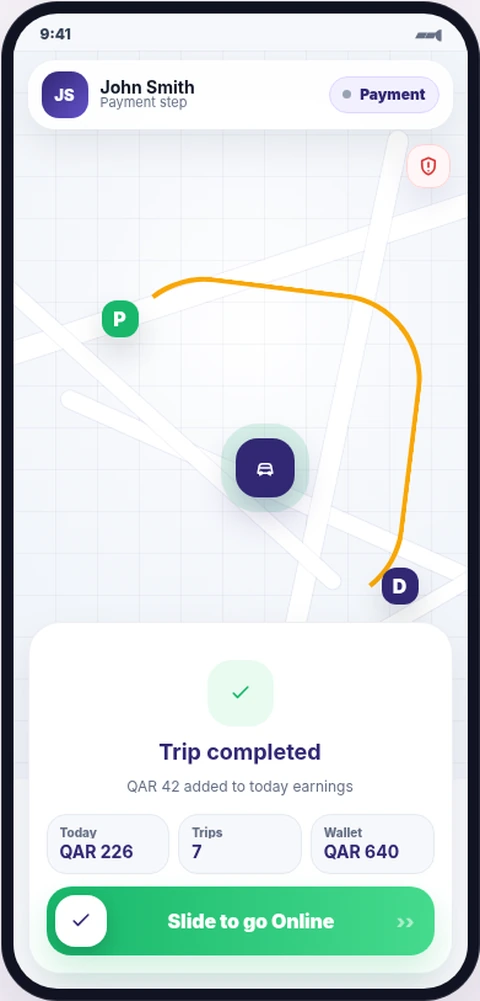
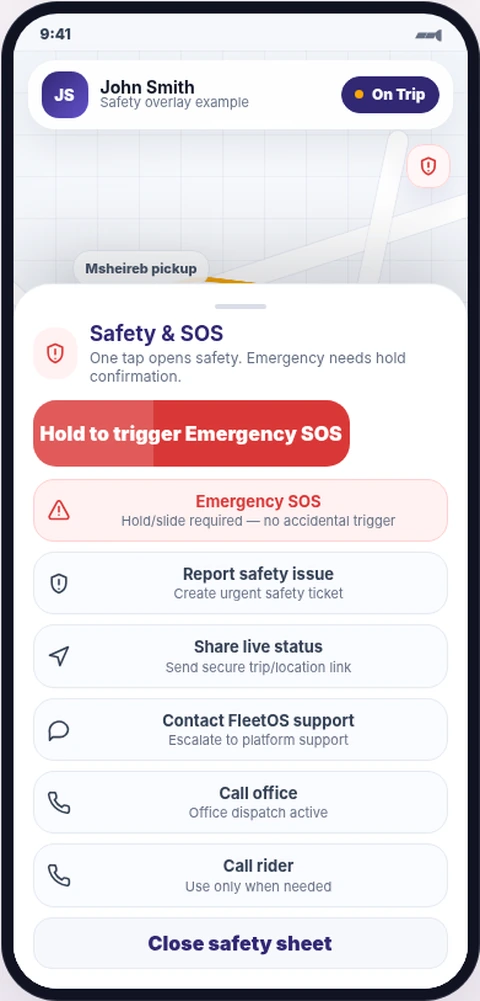
Navigation, payment and safety remain part of the same trip record.
During the trip, DriverX keeps only the information needed for safe driving. At completion, the driver confirms payment and receives a clear result.
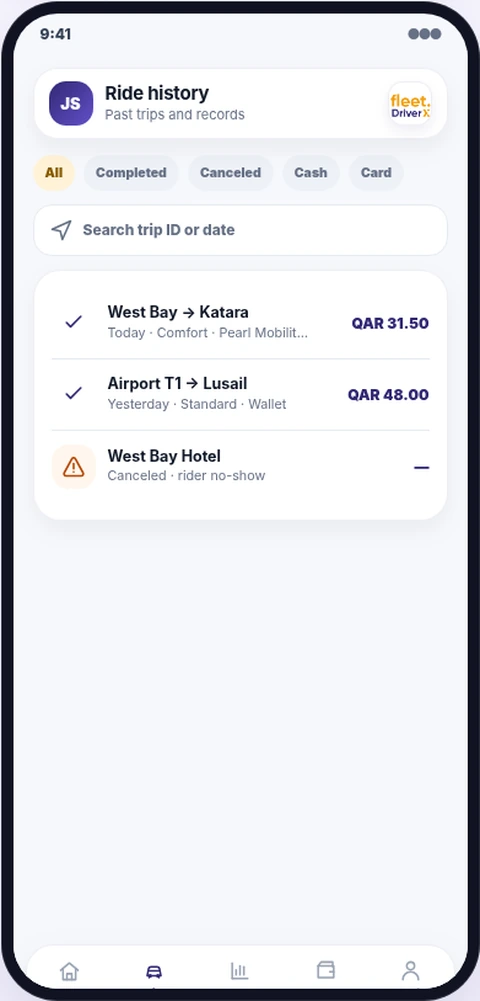
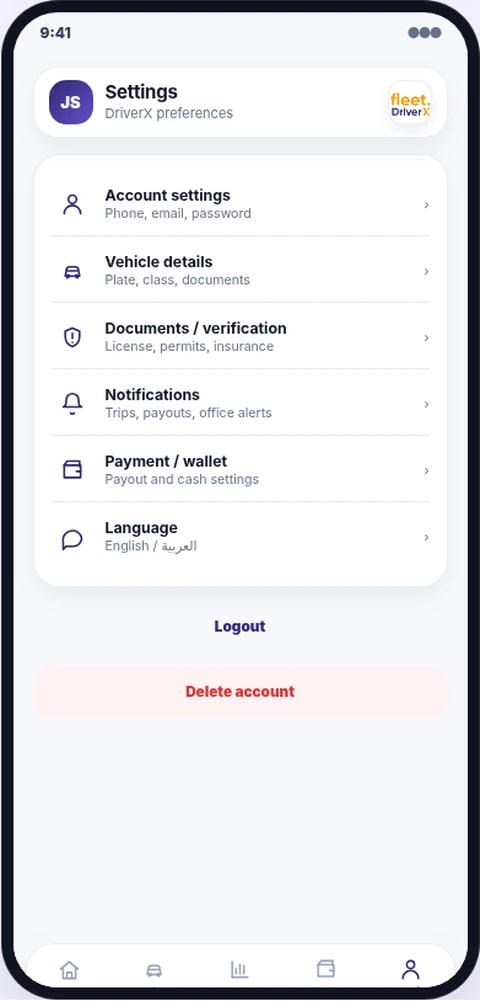
Past work and account settings stay easy to reach.
Trip history supports accountability while settings keep driver, vehicle, document, safety and language data organized.
Give every driver a clear workflow connected to your operation.
FleetOS links the driver’s actions to office dispatch, trip records, customer service, payments and performance.